



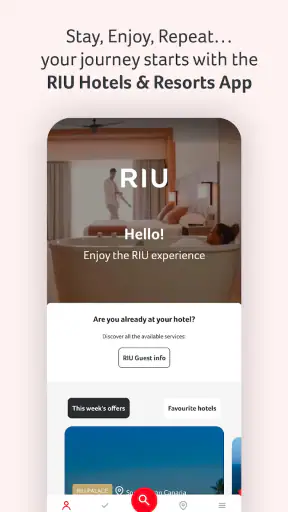
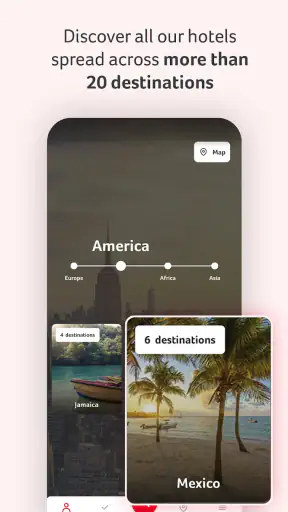

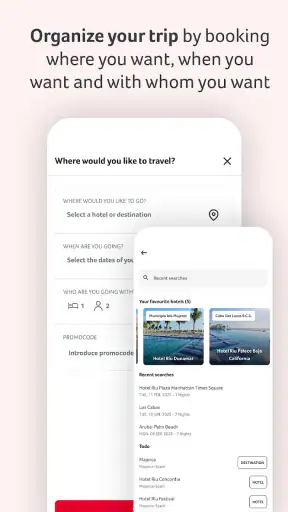
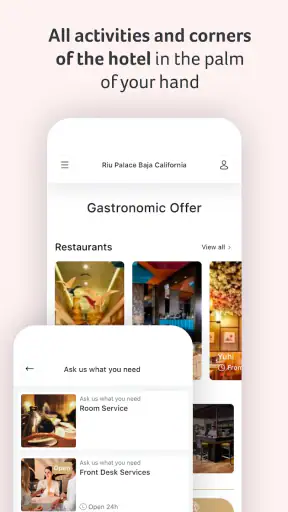
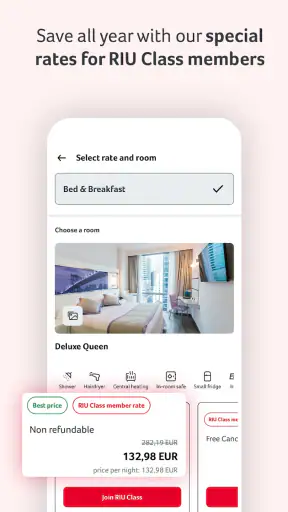
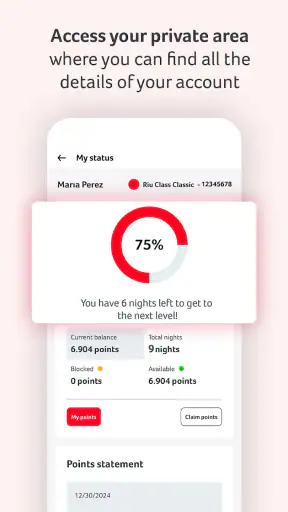
Planning a hotel holiday often means moving between a resort website, booking emails, maps, restaurant notes, and a separate travel app. RIU Hotels & Resorts tries to bring that resort-focused experience into one place. I reviewed it as a Travel & Local app from Riu Hotels & Resorts, and my impression is that it makes the most sense before and during a stay at a RIU property rather than as a general travel companion.
The app is free and available for everyone, which removes the most obvious barrier to trying it before a trip. It has been available since June 29, 2016, and its current version is 5.42.1, with Android support from version 7.0 onward. Its 4.8 average from around 19 thousand ratings and more than a million installs suggest that many travelers find it useful, although popularity alone is not a substitute for checking whether its resort-specific approach fits your plans.
How the app earns trust before you rely on it
My first test with a hotel app is not whether it looks polished. I want to know whether it helps me make a decision without forcing me to hand over more information than necessary. In that respect, the strongest reason to try this app is its clear connection to a known hotel group. The developer is named directly as Riu Hotels & Resorts, so the app has a defined purpose rather than presenting itself as an anonymous booking tool.
That focus matters. A broad travel marketplace usually puts many hotel chains, independent properties, flights, activities, and reviews in front of you. This app is narrower. It is designed around RIU’s own holiday ecosystem, which can make the journey less scattered if you have already chosen a RIU resort. The trade-off is equally clear: if you are still comparing several hotel groups, the app is unlikely to replace a broad search service.
I also appreciate that the app’s public positioning is simple. It is presented as a vacation starting point, not as a general-purpose social network or an all-in-one travel wallet. That narrower promise makes it easier to judge. I would use it for resort-related planning and on-property reference, while keeping an independent maps app, airline app, or travel document folder available for the rest of the journey.
A high rating can encourage confidence, but I would not read it as proof that every screen works equally well for every traveler. Hotel apps depend heavily on destination, booking status, device, connection quality, and the exact stage of a trip. A feature that feels valuable once you are connected to a reservation may be less useful when you are only browsing. I therefore see the app’s reputation as a reason to test it early, not a reason to skip basic checks.
What I would check before entering personal details
I would begin by browsing the app without rushing into account creation or reservation entry. The practical goal is to see what information is available openly and what requires a sign-in. That small step gives you a better sense of whether the app is useful for research or mainly intended for guests who already have a relationship with the hotel group.
When an app asks for personal information, I look for a clear reason connected to the action I am taking. A booking-related detail has an obvious purpose when I am trying to retrieve a reservation. The same detail deserves more scrutiny if I am only looking at destinations or preparing a general shortlist. This is not a criticism unique to RIU; it is simply a sensible boundary for any travel application.
I would also read the permission prompts instead of accepting them automatically. A hotel app may be more convenient with certain device access, but convenience and necessity are not the same thing. If a permission appears unrelated to the screen I am using, I would deny it first and see whether the app still performs the task I need. Android lets me revisit many permission choices later, which makes a cautious first setup practical.
Useful controls without overcomplicating the trip
The best hotel apps reduce small decisions at the moment they matter. Before traveling, I would use this one to organize my resort-related information and confirm that I can reach the relevant booking or property area. During the stay, I would keep it ready for quick reference rather than treating it as my only source of truth.
That distinction is important because an app should not become a single point of failure. I would save essential confirmation details separately, keep identification and travel documents accessible offline, and note any important reservation information outside the app. If my phone battery dies, the connection drops, or the application needs an update at an inconvenient time, I still want to be able to check in and find my way around.
For account control, I prefer a deliberate setup. I would use an email address I actively monitor, choose a unique password if the app requires one, and avoid leaving a shared device signed in. After a family holiday, I would sign out on borrowed or hotel devices and remove saved personal information where the interface allows it. These habits are more reliable than assuming that a branded app automatically handles every privacy decision for me.
If you are traveling with another person, decide in advance who should manage the reservation information. Sharing screenshots or forwarding details may be convenient, but it can also spread booking data farther than intended. A better workflow is to keep one primary account holder and share only the information needed for the next step. That is especially useful when a group includes children or relatives who are not comfortable managing apps themselves.
Where privacy and user choice matter most
Travel creates several data-sensitive moments. A hotel app may sit close to booking information, identity details, contact information, and the dates of your absence from home. I do not treat those details casually, even when the app comes from a familiar hotel brand. My approach is to provide information when it unlocks a clear task, then review the account and device settings once the task is complete.
Booking preparation is the moment to slow down
When preparing a stay, I would first decide whether I need the app for discovery, reservation management, or on-site convenience. Those are different uses, and they do not all justify the same level of account access. If I am only comparing resorts, I would avoid entering booking information until I have chosen a property. If I already have a reservation, retrieving it may be a sensible reason to use the account features.
I would check every confirmation screen carefully before submitting anything. Travel mistakes are expensive and stressful, so I would verify the property, dates, guest names, and contact details rather than tapping through quickly. The app can be a convenient route into the RIU experience, but it cannot replace the traveler’s responsibility to check what is being requested and what is being confirmed.
I would also be careful with notifications. Reminders can be useful for a holiday, but too many alerts can make important messages easier to miss. My preference is to allow only notifications that help with an active trip, then reduce or disable them after returning home. This gives me more control than leaving every alert enabled indefinitely.
Location and device access deserve a practical test
If the app requests location access, I would ask whether I am using a feature that genuinely benefits from it. A resort guest may find location-related convenience helpful in a specific context, but I would not grant continuous access simply because the prompt appears during setup. I would start with the least permissive option that supports the task and change it only if the app clearly needs more.
The same principle applies to notifications, photos, camera access, contacts, and other device capabilities. I would not assume that a permission is required just because an app displays the request. I would test the core function first, deny anything unrelated, and revisit the decision only when a real feature explains the need. If denying access breaks an important workflow, that is useful information: I can then decide whether the convenience is worth the trade-off.
Because the app supports older Android devices from version 7.0, compatibility is broader than with applications that require a newer operating system. That is helpful for travelers using an older phone as a dedicated holiday device. At the same time, older phones may have weaker security support or limited storage, so I would keep the operating system updated where possible and avoid using an outdated spare phone for sensitive account activity without checking its security first.
A realistic holiday workflow
Imagine I am leaving for a beach resort with my partner. A few days before departure, I install the app, browse the relevant RIU information, and sign in only if I need to connect an existing booking. I review the reservation details, confirm that the contact information is correct, and take note of anything I may need at arrival. I then save the essential confirmation outside the app and adjust notifications so the phone does not become noisy during the trip.
At the airport, I use the app for the resort-related information it provides, but I rely on my airline’s tools for boarding and an independent maps service for transport. Once at the hotel, I keep the app available for property-specific reference. If a screen requires a connection or a fresh sign-in, I do not panic because the key reservation details are already stored elsewhere. After the holiday, I review notifications, sign out of shared devices, and remove the app if I do not expect another RIU stay soon.
This workflow shows the app at its best: it is a focused companion around a RIU vacation, not a replacement for every travel tool. It also limits unnecessary exposure of personal information. I get the convenience of a direct hotel app while keeping important documents, navigation, and transport arrangements under separate control.
Who should use it, and who may prefer something else?
I would recommend trying it if you have already booked with RIU, are seriously considering a RIU property, or want a direct digital connection to that hotel group during a stay. It should be particularly practical for travelers who prefer one official place for resort-related information instead of searching through old emails and browser tabs.
I would be less enthusiastic if you are comparing many hotel brands or building a complicated multi-city itinerary. A general travel platform will usually be better for comparing independent hotels, combining transport, and keeping unrelated reservations together. Likewise, travelers who prefer paper documents and do not want another account may gain little from installing a hotel-specific app before a short, simple stay.
Families should think about access and responsibility before sharing the app across several phones. One person can manage the main account while others keep only the details they need. Solo travelers may find the setup straightforward, but they should still keep an offline backup of critical information. The app is not a substitute for travel insurance, emergency contacts, passports, or local transport planning.
Frequent RIU guests may get more value from keeping the app installed between trips, while occasional visitors should consider whether the convenience outweighs the extra application on their phone. Since it is free, the decision is mostly about attention, permissions, account maintenance, and storage rather than purchase cost. I would install it shortly before a confirmed trip, test it on Wi-Fi, and remove it later if it no longer serves a purpose.
My cautious verdict after using it
RIU Hotels & Resorts is a sensible choice when your holiday is already centered on a RIU property. Its strongest quality is focus: instead of trying to be every travel service at once, it belongs to a specific hotel ecosystem. That can make resort preparation feel more direct, especially when you want an official channel rather than a collection of third-party pages.
My trust in it would still be practical rather than automatic. I would review permissions, provide account details only when they support a clear task, control notifications, and keep independent copies of essential travel information. Those steps do not make the app less useful; they make its role clearer and reduce the risk of depending on one phone or one account for the entire trip.
The app’s 4.8 average, roughly 19 thousand ratings, and more than a million installs show that it has reached a substantial audience. Its Everyone age rating also makes it broadly approachable, although adults should still supervise how booking information is shared on family devices. I see those figures as encouraging signs of adoption, not guarantees about every device, destination, or personal experience.
My final recommendation is measured: install it if you have a RIU reservation or are close to making one, test the useful sections before traveling, and keep your broader travel toolkit in place. For a RIU-focused holiday, it can be a convenient companion. For independent hotel comparisons or a mixed itinerary, a general travel app will probably remain the better central organizer.


